A familiar place to edit
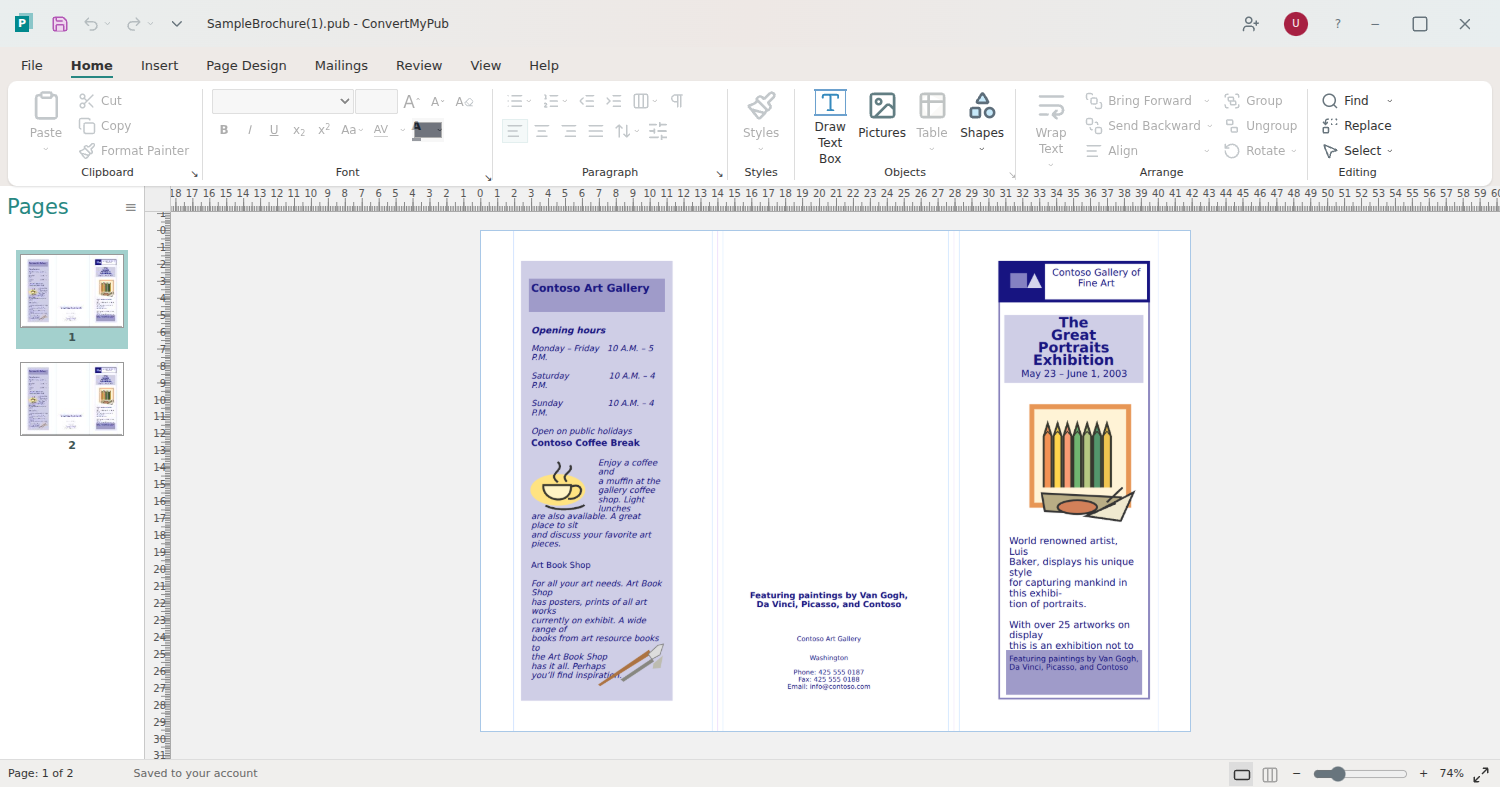
Your ribbon, pages and rulers. Update supported text, pictures and borders in a workspace you recognize.
A new chapter for your .pub files
The layout you love. The updates you need.
Open your publication, make it yours, and share a fresh PDF.
7-day free editor trial. Then $14.99/month unless canceled.
Conversion only? Pay once. No editor subscription required.
FAMILIAR FILES. FRESH POSSIBILITIES.
You already did the hard work of creating it.
Keep your publication useful for what comes next.
Your ribbon, pages and rulers. Update supported text, pictures and borders in a workspace you recognize.
Invite a colleague to review a proof or help make changes. Invited viewers don't need a paid plan.
Save your changes to your account and download a fresh PDF to print or share.
BETTER WITH YOUR TEAM
Bring a colleague, client or volunteer into the document. Let them review the layout or give them permission to edit, all from their browser.
Open your file and invite your teamInvited viewers don't need a paid subscription.
Share the document. Keep control.
01
Open Share in your document and choose who to invite.
02
Invitees verify their email, sign in or create a free account, and return to your document.
03
Choose view-only or editing access. Remove access whenever you need.
Shared editing uses the owner's active editor subscription or verified trial.
FROM OLD FILE TO NEXT EDITION
Start with the publication you already have.
Update the words, pictures and supported layout elements.
Give your next edition a place on paper or online.
CHOOSE WHAT YOUR FILE NEEDS
Edit regularly, or convert a file once. The choice is yours.
FOR YOUR NEXT EDITION, AND THE ONE AFTER
$14.99 / month
Start with a 7-day free trial.
$14.99/month after 7 days unless you cancel.
FOR THE FILE YOU JUST NEED TO OPEN
From $5 / one time
A fresh format for an existing file.
No editor subscription required.
MADE FOR THE FILES THAT MATTER
For the communities, classrooms and causes you create for.
You've already built the bulletin. Update this week's service details, replace a photo, and prepare a fresh PDF using your existing Publisher file.
Explore churches workflows NEWSLETTERS & CERTIFICATESKeep the newsletter, certificate or event program your team already knows. Make supported changes in your browser and download a PDF for sharing or printing.
Explore schools workflows BROCHURES & DONOR UPDATESUse the publications your organization already created. Update the next campaign, replace a picture, and prepare a new PDF without rebuilding every page.
Explore nonprofits workflowsPersonal help from our team
Tell us what you need to update and where you're getting stuck. We'll help you choose between editing and a one-time conversion, and explain any limitations we find.
No need to attach your document here. We'll reply by email with the next step. Complex reconstruction is quoted separately before work begins.
YOUR FILE HAS MORE TO GIVE
Try the editor for 7 days. Then $14.99/month unless canceled.